Import your TV Time watch history to Televise
TV Time shut down on 15 July 2026, taking years of watch history with it. Televise is a free TV & anime tracker for iPhone with a built-in TV Time importer, so the shows and episodes you already tracked don’t have to start from zero.
How the TV Time import works
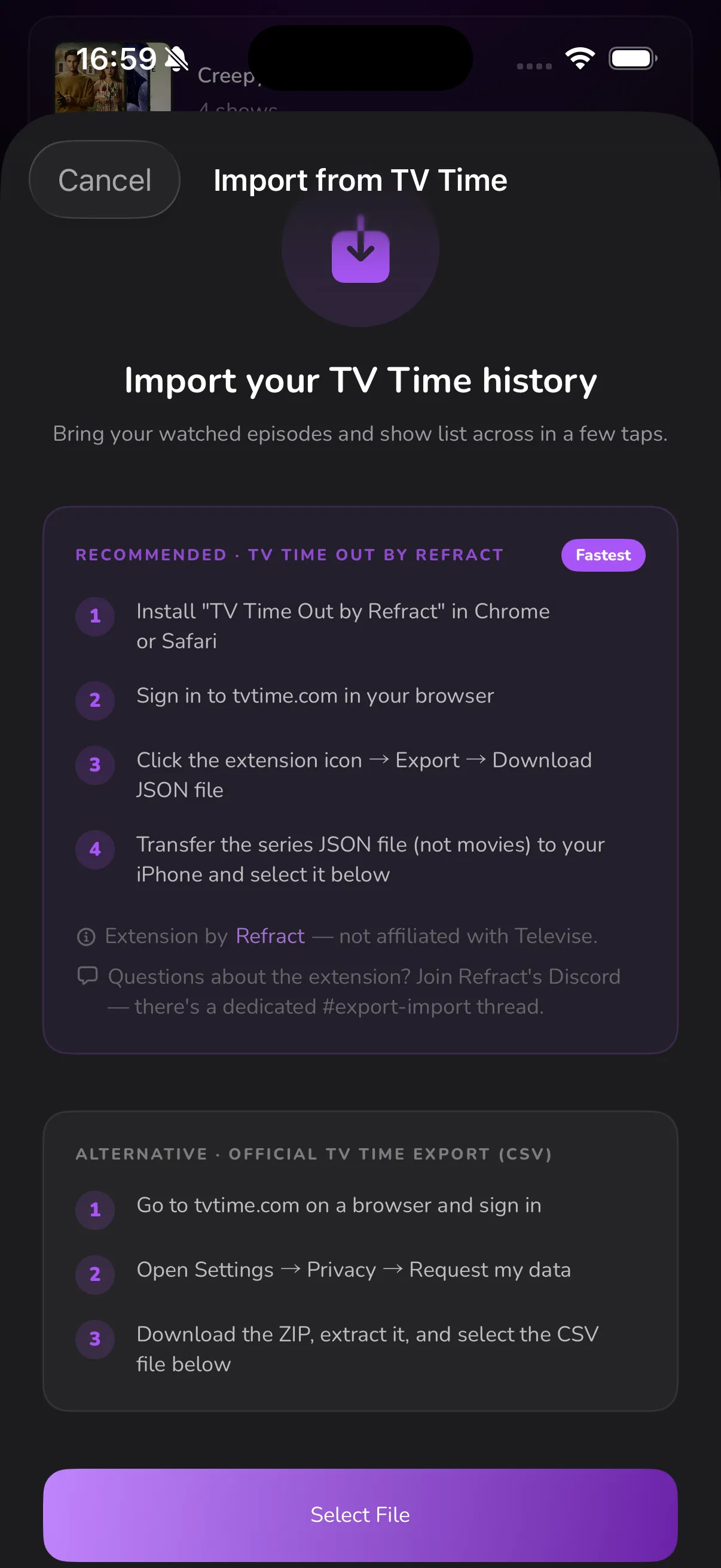
To move from TV Time to Televise you export your watch history, then open it in Televise on iPhone. Televise accepts two exports: the recommended “TV Time Out by Refract” browser extension (Chrome or Safari), which downloads your shows as a JSON file, or TV Time’s own official data export (a CSV inside a ZIP). Open either file in Televise and it imports every show, status and watched episode automatically — shows, anime and films all come across.
Step by step
1. Export your data from TV Time
Recommended — Refract extension: install “TV Time Out by Refract” in Chrome or Safari, sign in to tvtime.com, then click the extension icon → Export → Download JSON. This saves your shows, statuses and watched episodes as a JSON file.
Alternative — official TV Time export: sign in at tvtime.com, open Settings → Privacy → Request my data, then download and unzip the archive to get your CSV file.
2. Get the file onto your iPhone
AirDrop the JSON (or CSV) file to your iPhone, or save it to Files / iCloud Drive so you can open it there. If Refract also exported a separate movies file, import that too — Televise now brings your films across as well.
3. Import into Televise
Open Televise and start the import. When prompted, open your TV shows file in the Files app and select it — Televise reads it and imports every show, status and watched episode automatically.
What transfers
- Every TV show and anime you tracked in TV Time
- Each show’s status (watching, pending, and so on)
- Every episode you had already marked watched
Common questions
Is the import free?
Yes. Televise is free to download and use, and importing your TV Time history costs nothing. Televise Plus is an optional one-time $9.99 upgrade — it is not required to import.
Do I need a computer?
For the Refract extension you’ll use a desktop or laptop browser (Chrome or Safari). TV Time’s official data export can be requested from any browser. Either way, the import itself happens on your iPhone, in the Televise app.
Will my movies import?
Yes — Televise tracks films now, so your movies come across too. You can also import your film history from Letterboxd, IMDb and Trakt.
Coming from another app?
Televise imports from more than just TV Time:
- Letterboxd and IMDb — bring your film ratings and watch history across.
- Trakt — import from Trakt’s
own data export (a
.zipfile). In Trakt, request your data export, then open the resulting ZIP in Televise.